Lumora Event System
This section will walk you through the event system that I created for our capstone game Lumora. I made it in a way that it could be slotted into any project, and I made it so that it is easy for designers to use and implement.
Game Event Type
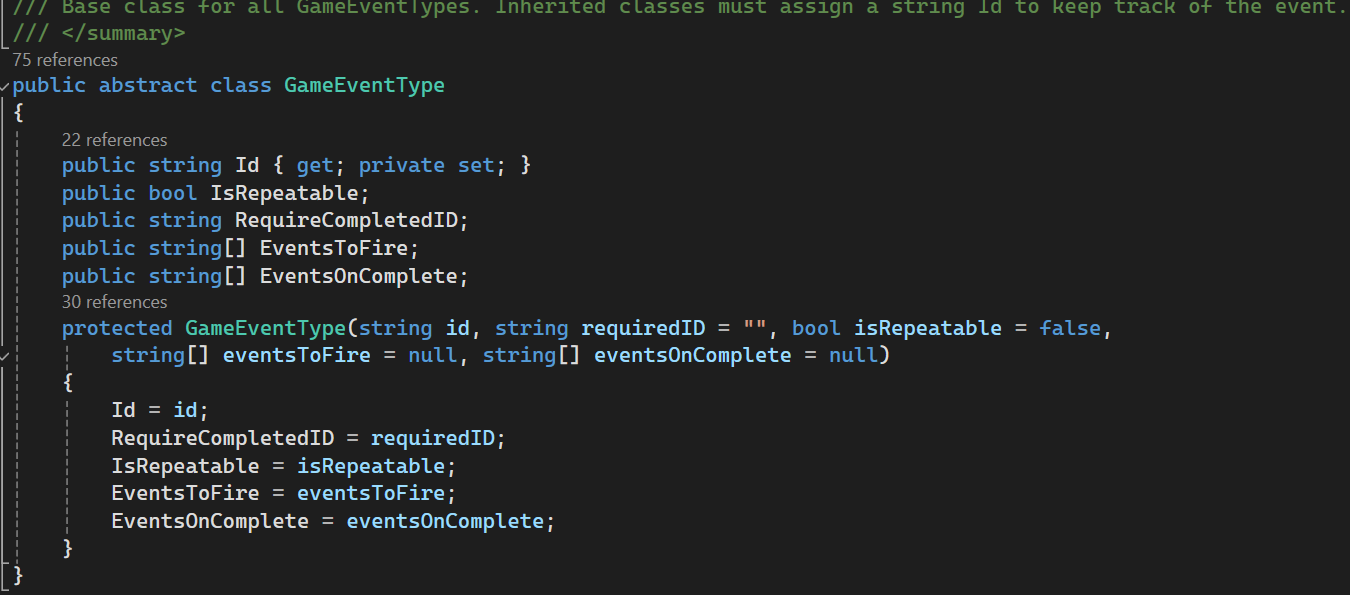
The game event type abstract class is the base class for all events in the game, and forms the foundation. Each event has optional properties that can be assigned during creation, and must have an ID that is used for keeping track of the event without referencing the entire object.
The optional properties are:
Is Repeatable - Whether the event can occur more than once.
Require Completed ID - The ID of another event that must be complete for this event to fire.
Events To Fire - An array of the different event ID’s that will fire when this event fires.
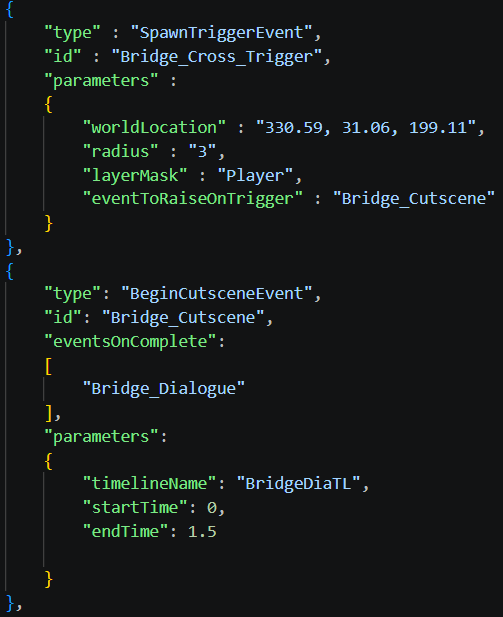
Events On Complete - An array of different event ID’s that will fire when this event is marked as complete.
Concrete Event Types
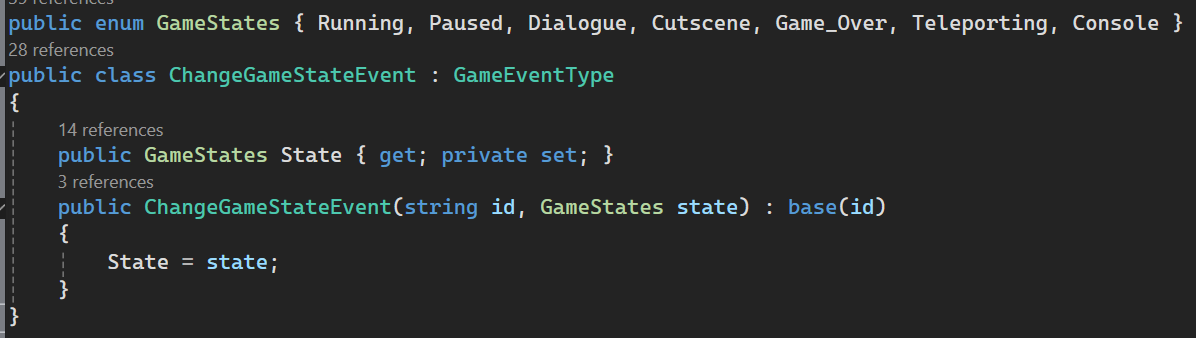
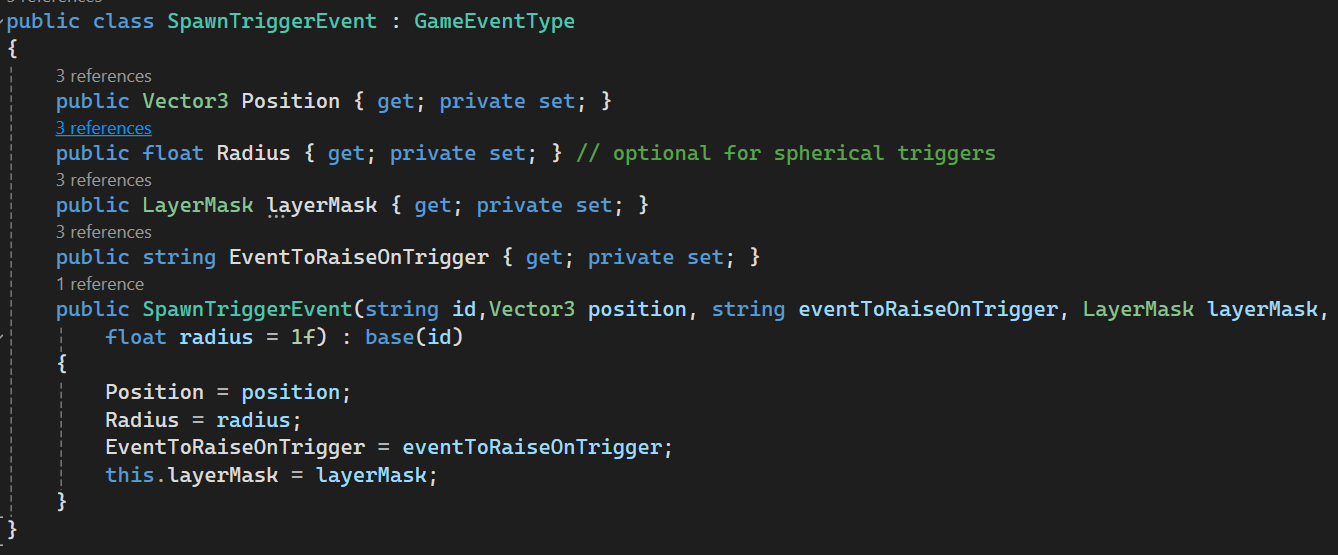
Each event is a concrete extension of the GameEventType abstract class. It can add its own parameters and gains access to all of the other properties defined in the base class.
For Lumora, we had about 30 different event types, including everything from loading specific UI elements, to spawning trigger volumes in the world at a specific location. All of the event types and their parameters were tracked in a spreadsheet, that specified the name, variable type, whether it is a required parameter, and a brief description of what it does. This acted as a reference for the coders, as well as an easy way for designers to specify what features they wanted.
Game Events Template
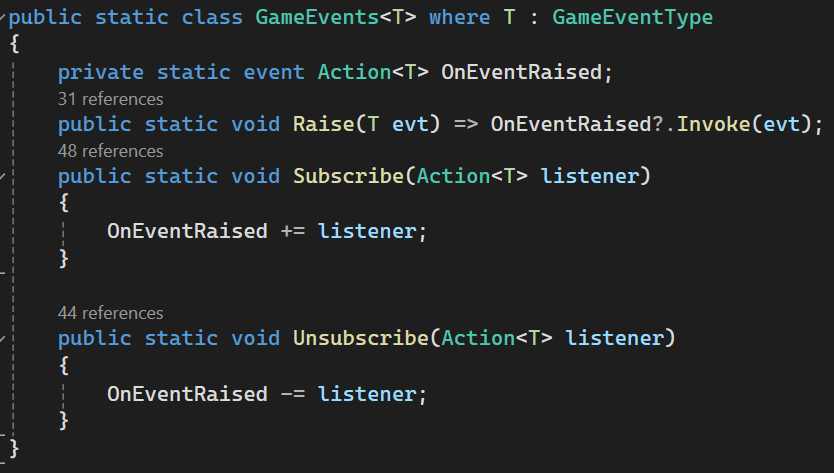
To get the events to act like actual events, I created a static template class called Game Events, which specifies a concrete Game Event Type, and allows for them to be raised and subscribed / unsubscribed from. This wrapper for the traditional “Action<T>” events makes sure that all of the events can be grouped and handled together, as well as be raised from anywhere in the code.
Event Manager Class
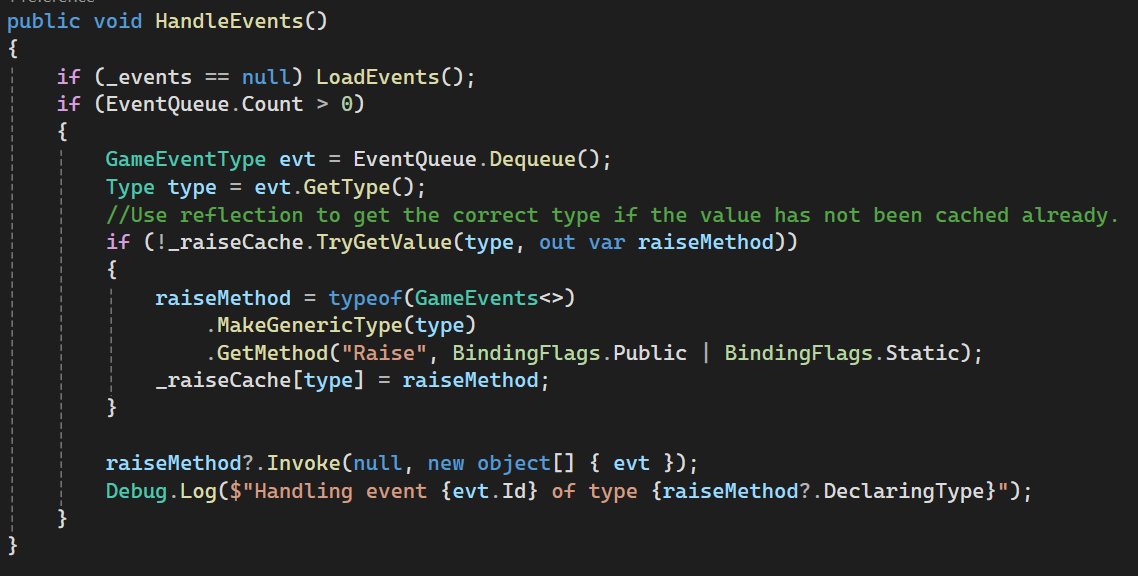
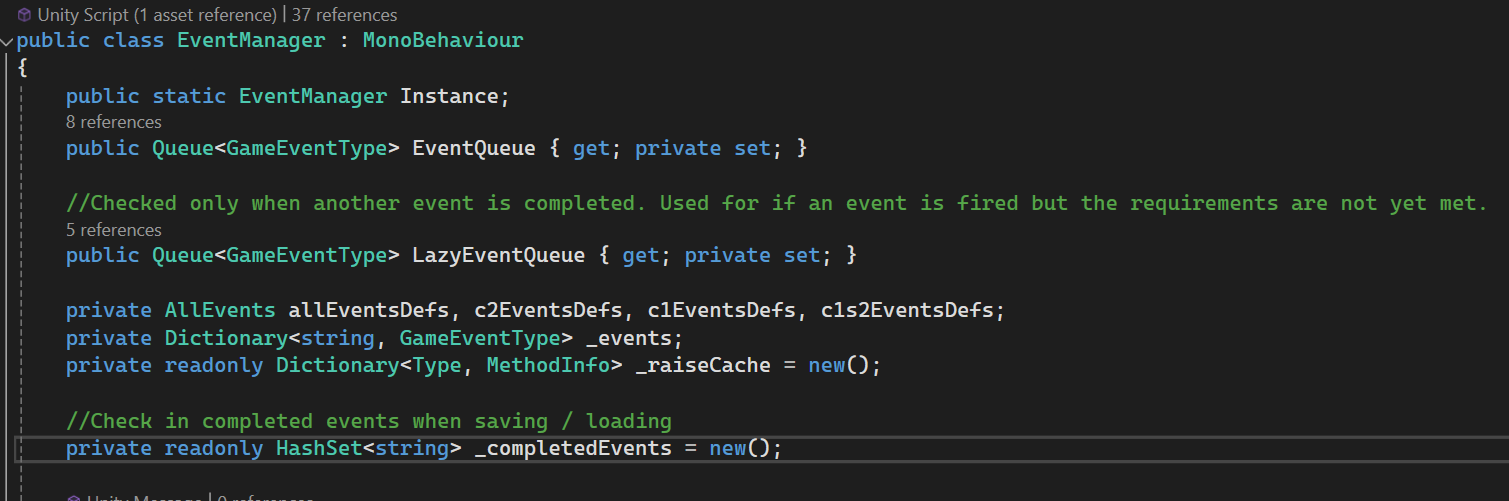
The event manager class handles all of the event information and deals with many different parts of the event pipeline:
Loading events from json file(s) specified by the designers.
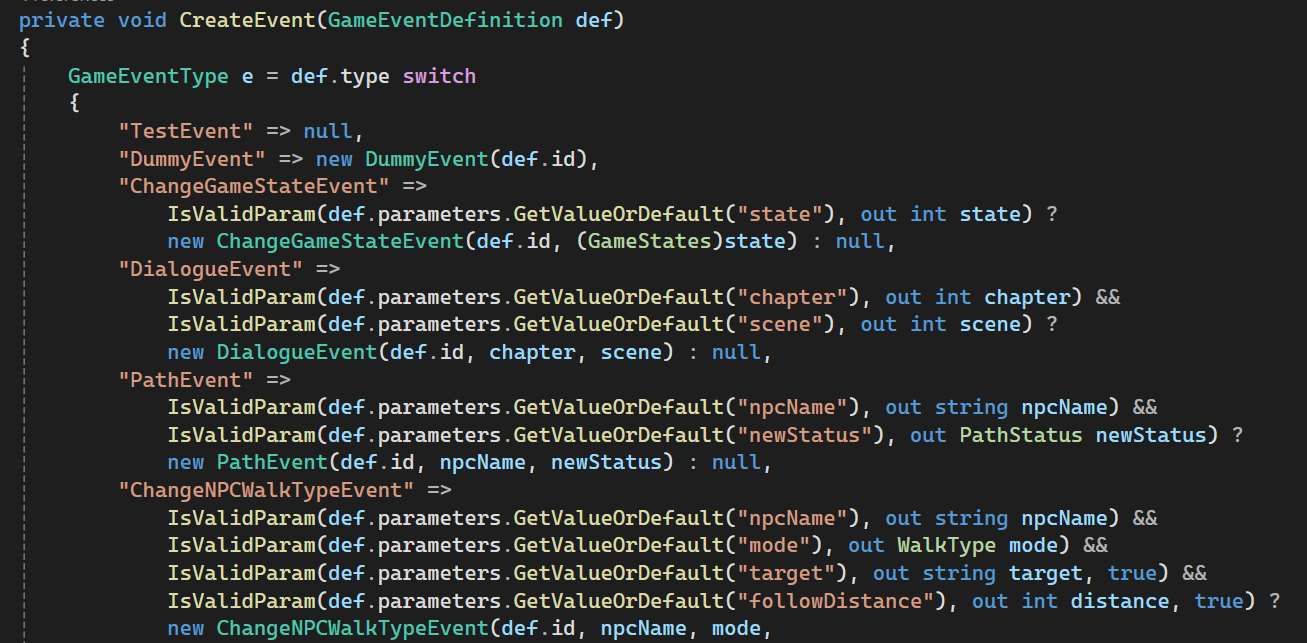
Converting loaded event json strings into game event types with the correct parameters with the correct types and values.
Raising events using the event ID, and checking various parameters like RequireCompletedID to see if it can be raised successfully.
Actually handling the events once they are raised and invoking the correct method
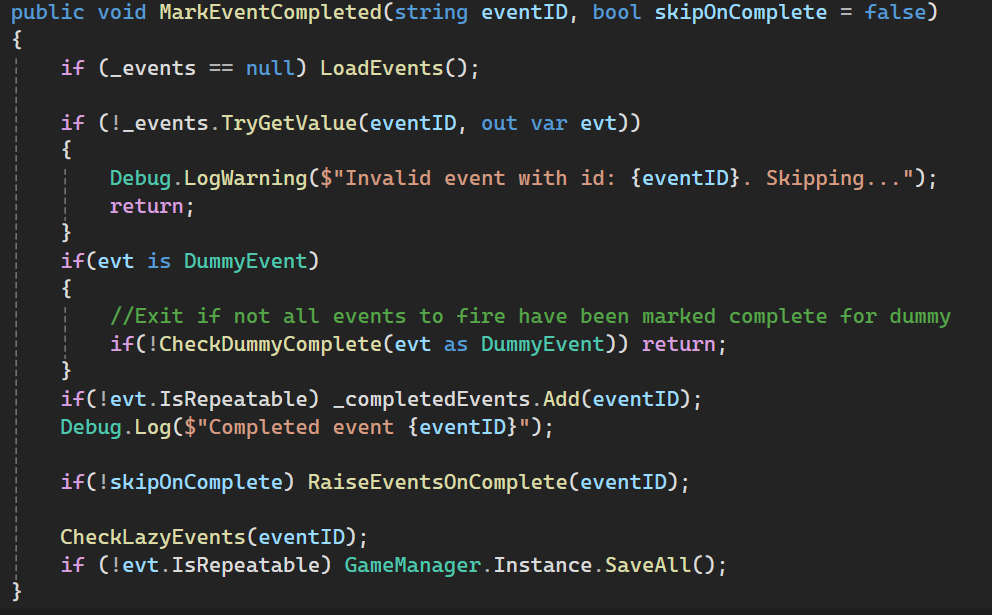
Marking the event complete and adding its ID to a hash set for completed events that can be easily checked.
Usage
There are a few ways to use the event system, but the main pipeline is:
If there is not an existing event
Create a new GameEventType with the parameters you need.
If you plan on defining the parameter values from a json file, edit the CreateEvent method in the EventManager class to include the new event type and its parameters.
If there is an existing event or after creating a new one
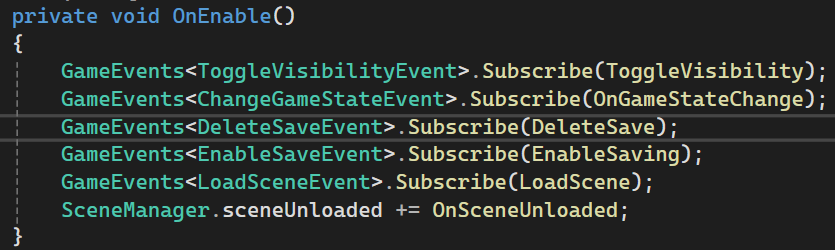
Subscribe to the event anywhere in the code using
GameEvents<T>.Subscribe(YourMethod);
T is the type of event, and YourMethod is the method you want to run when any event of type T is raised.
Raise the event anywhere in the code by calling
EventManager.Instance.Raise(“eventID”);
Once the event has been completed, call
EventManager.Instance.MarkEventComplete(“eventID”);
This guarantees that the event will not be fired again (unless it is repeatable) and it will fire any events specified by the EventsOnComplete parameter.