
Easy Behavior Tree
I created a Unity package that allows designers to create CPU behaviors with minimal code! When a node is reached in the tree, any subroutine can be run!
Released Unity Package!
The full easy behavior tree package has been released on the Unity Asset Store for $10 CAD. You can find it there or contact me directly and I may give it to you for free!
How I Created It - Nodes
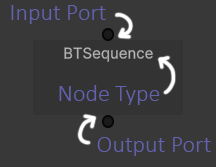
The BTNode class is the backbone of the behavior tree. It is the base class for all the different node types, and each one has an input and output port for controlling the logic flow from one node to another. Each node has a parent and children, as well as a status of IDLE, RUNNING, SUCCESS, and FAILURE. When the node is ticked, it will return one of these statuses depending on the type of node it is, and send that information back up the chain.
-
Entrance into the tree. Only has an Output Port. It is a Sequence Node behind the scenes.
-
Ticks its first child node and if that node returns SUCCESS, it moves on to the next child node. If any child returns FAILURE, the Sequence Node returns FAILURE. If ALL child nodes return SUCCESS, this node also returns SUCCESS.
-
Ticks its first child node and if that node returns FAILURE, it ticks the next child node. If any child nodes return SUCCESS, this node returns SUCCESS. If ALL child nodes return FAILURE, this node also returns FAILURE.
-
The Condition Node only has an input port, and it checks if a blackboard value is true / false. It returns SUCCESS / FAILURE back up the node chain. Have this as the first child node of a Sequence Node to only run an action after some value becomes true.
-
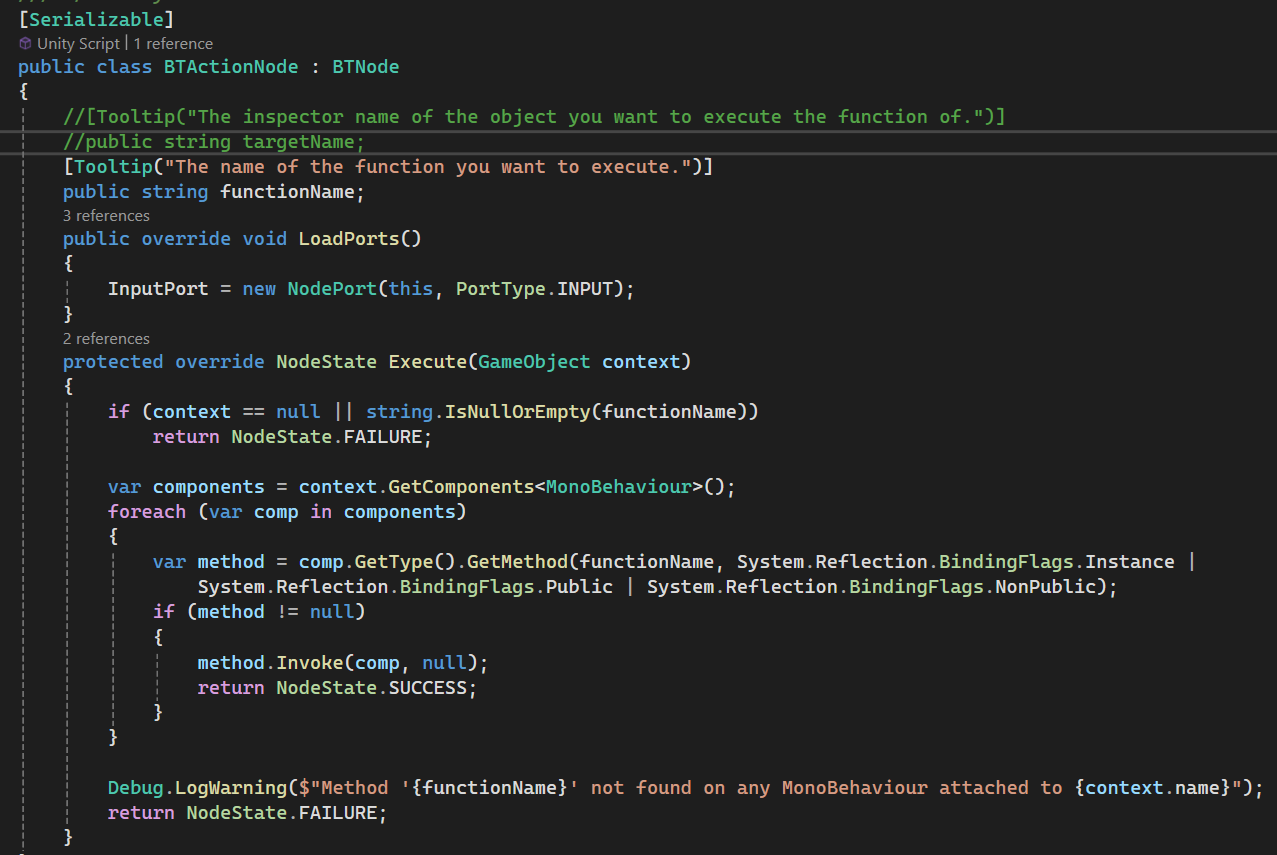
An Action Node only has an input port, and it runs any method from a child component script using that methods name and reflection. There are two types of Action Nodes, one-time and continuous, which return either SUCCESS or RUNNING when the desired subroutine is executed.
-
A simple helper node that flips a SUCCESS into a FAILURE and vice versa.
How I Created It - Editor
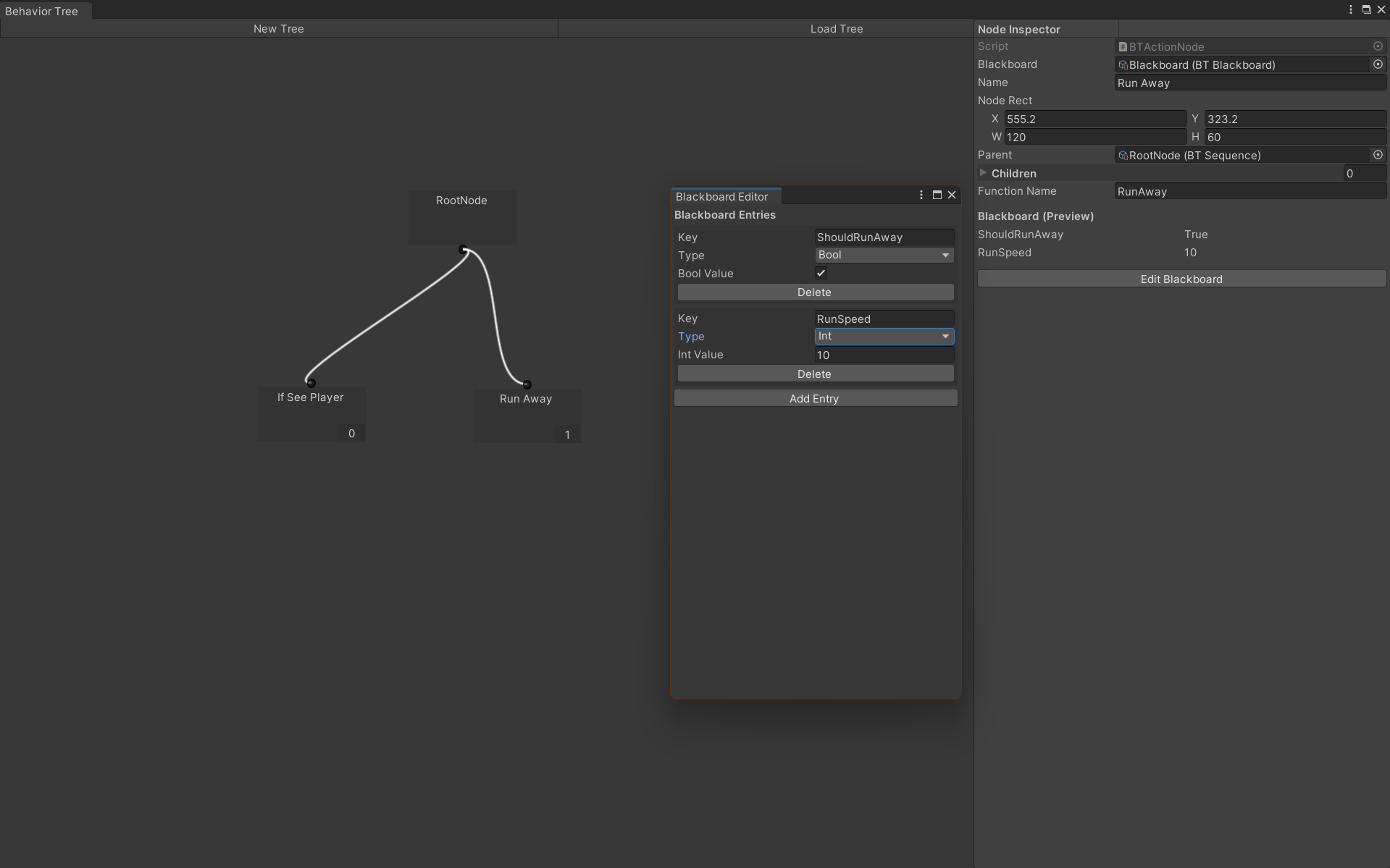
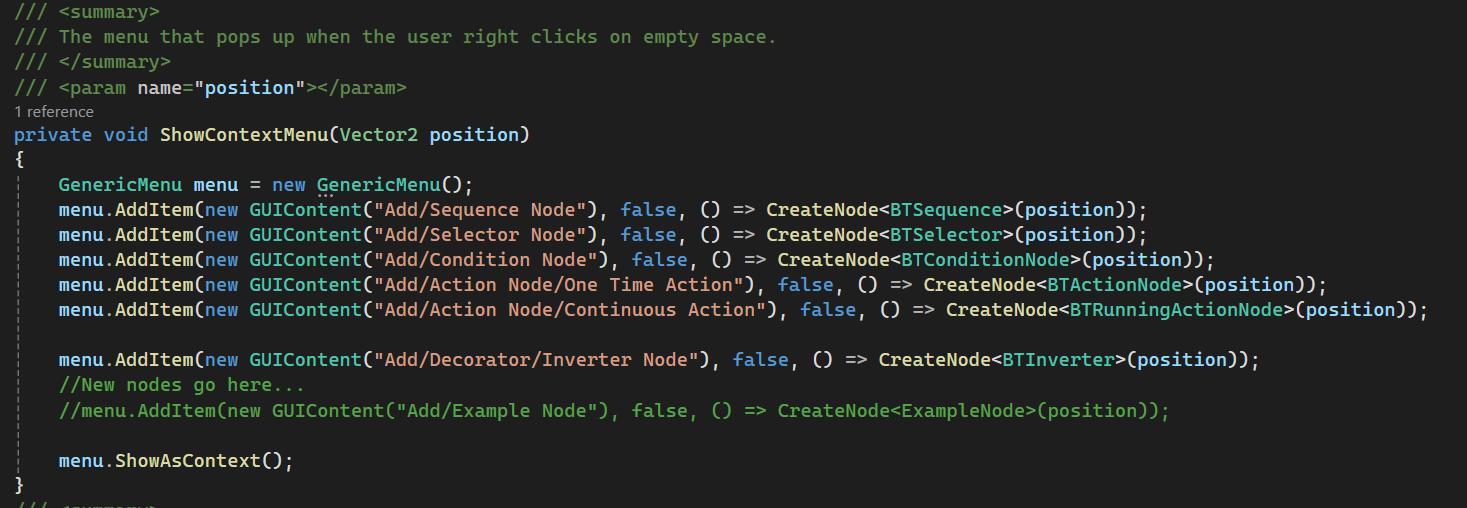
The behavior tree editor is a Unity window that a designed to be as user friendly as possible. You can load existing trees or create a new one, saved as a unity asset whenever a change is made. I decided a visual interface with drag and drop mechanics for setting the parent / child nodes would be the best way, because it does not require any coding for the user to make the tree. I also set up an interface so that when you right click, a menu pops up with all the different types of nodes you can create, and when you make a node a child of another node, it tells you the order that they are executed in.
Use Case!
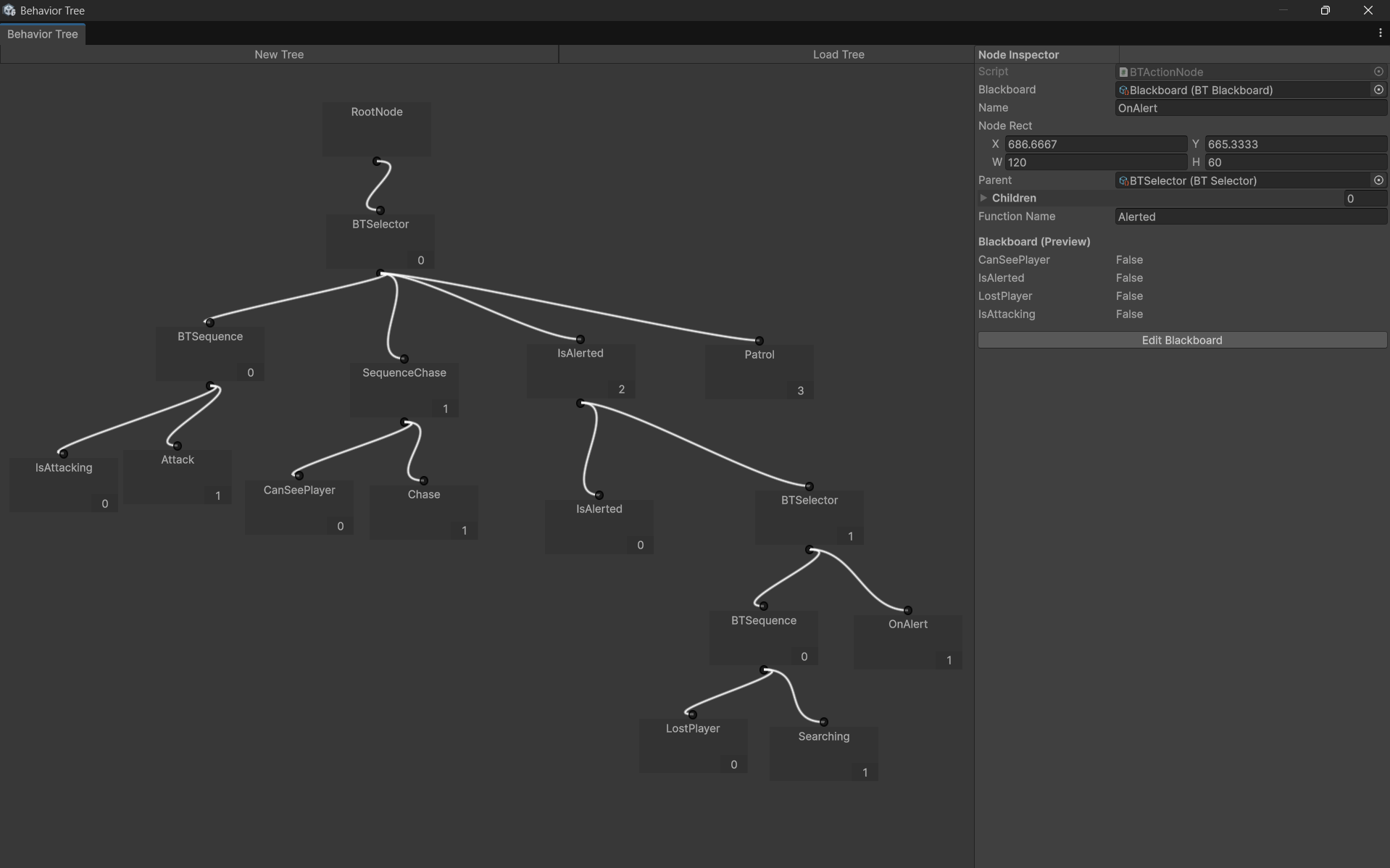
Behavior tree of the enemy guard NPC in our capstone game Lumora! Many nodes have been renamed for clarity, but they are all the basic types listed above.